Skip to content

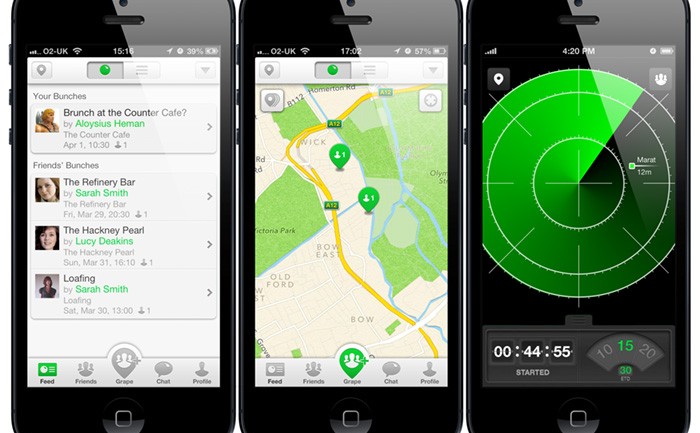
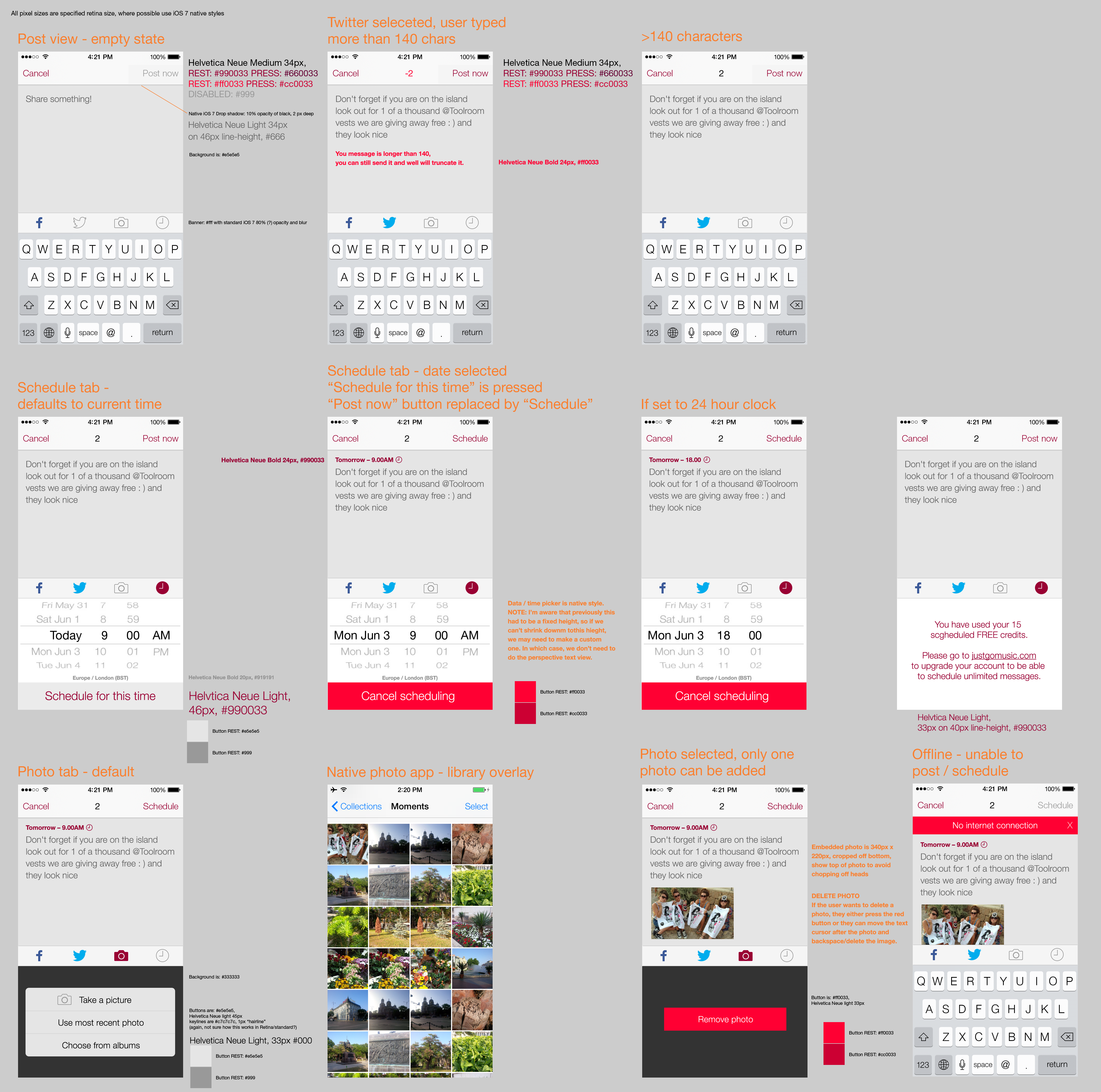
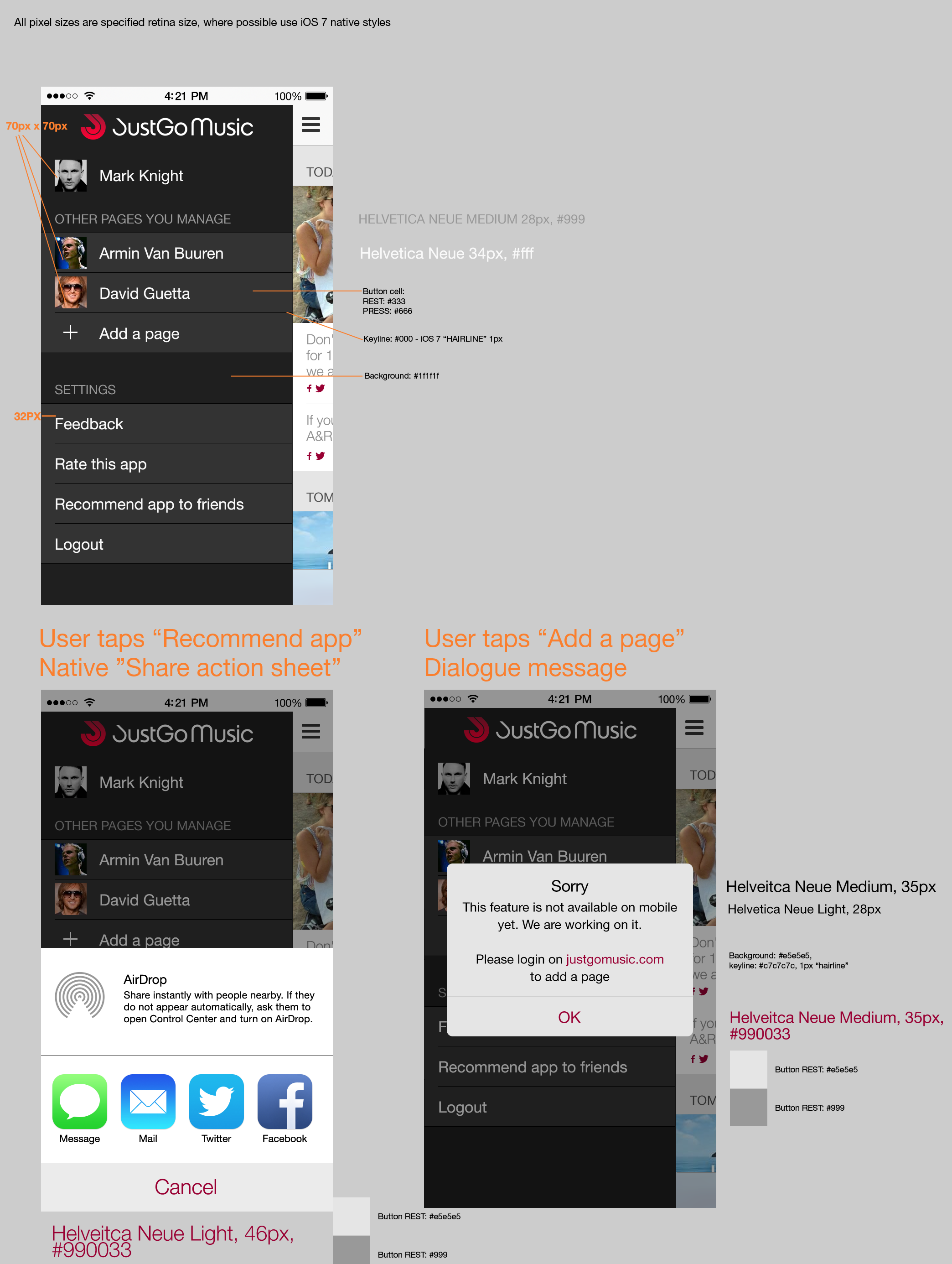
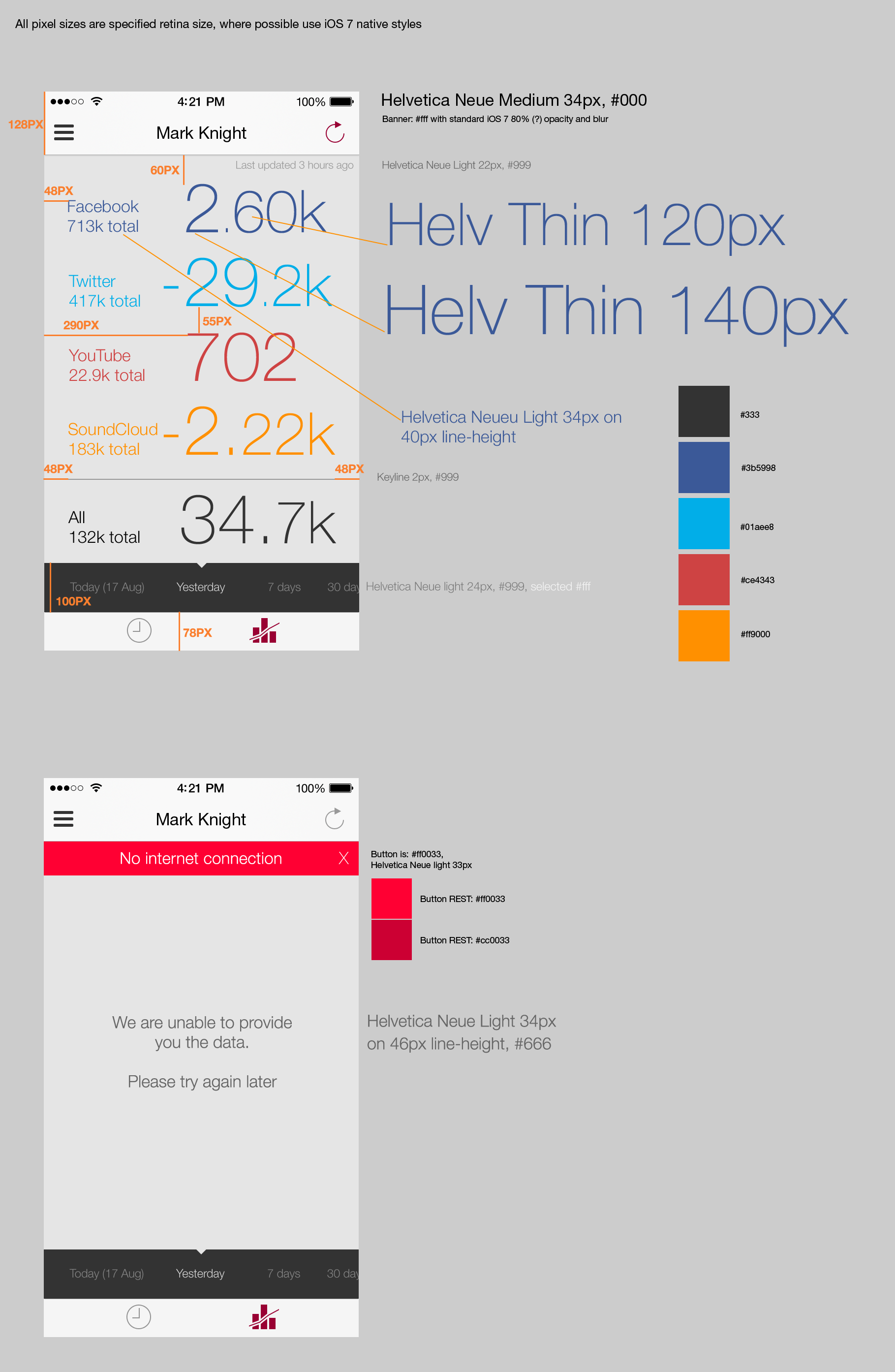
Grape iOS app – icon and UI sketches

2013 April 26
by Graham

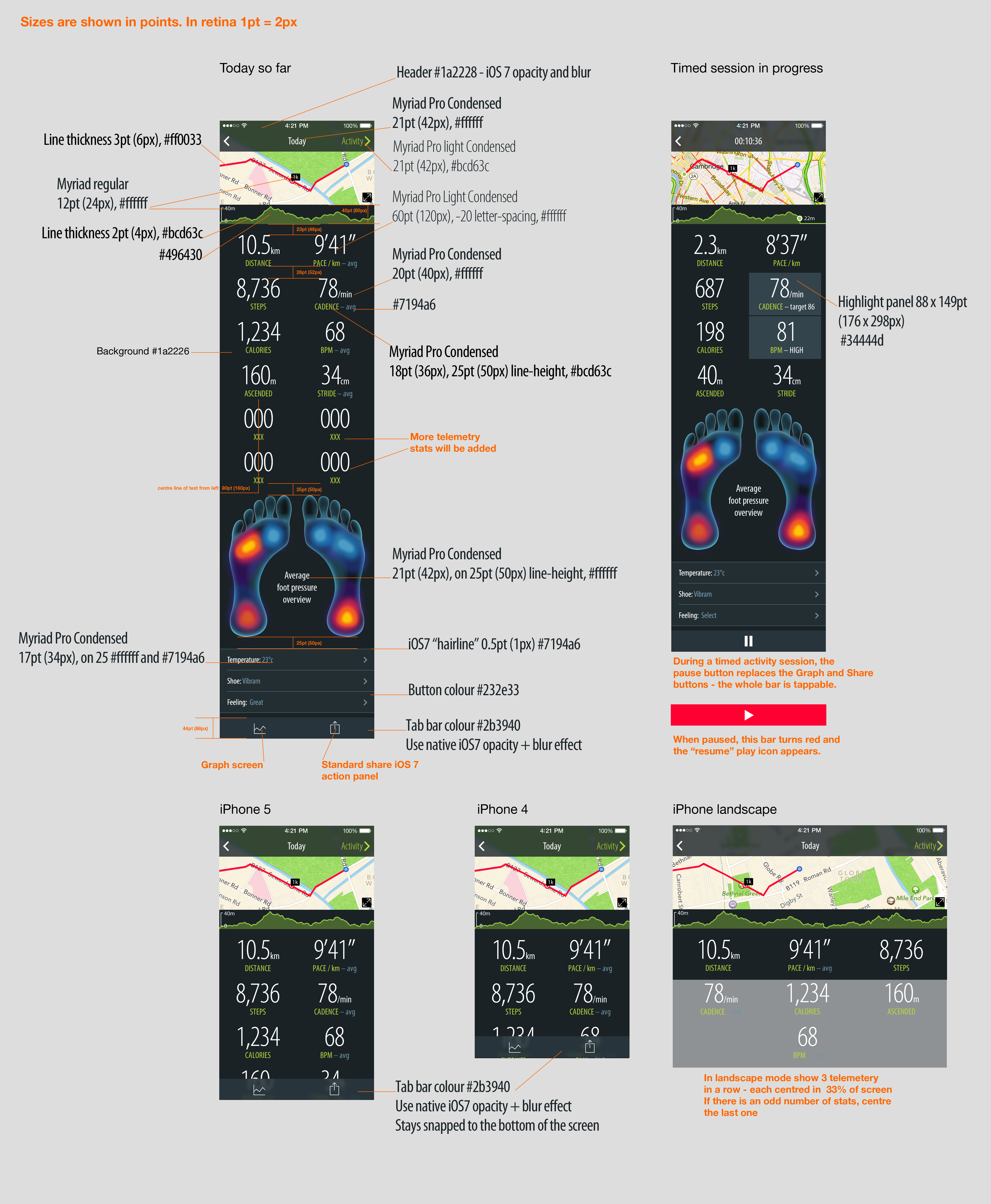
Grape iOS app icon and UI sketches

My 1st Website

2013 April 11
by Graham

My FIRSTs are often disasters…

My first print design went out with millimetres and centimetres mixed up
– a sticker came back the size of a dinner plate.

My first app, which hit the app store the day of the office Christmas lunch, received such horrendous reviews that no one ate their turkey. Probably deservedly so.

My first website was different. Websites are lovely things you know. Unlike careless printers and incensed iTunes reviewers, they forgive you, they let you learn, experiment, and make as many mistakes as you like. Ctrl-F5. Happiness.

Sick of print.

Macbeth Gallery Records, c. 1890-1964I was in my lates 20′s at the time (early 2000′s), working as print designer in Covent Garden and desperately want to get into web design. Although I still love the smell of a freshly inked brochure, I come from a long line of neurotics and the fear of making mistakes was making me ill. Every print job I sent to the printers left me in shivering in dread: the terror of the typo, the curse of a bad colour profile.

Some good friends took pity on me and had me over for dinner to teach me the basics of teriyaki chicken and HTML. Right away I loved the naughty magic of using data tables to layout your text and images, forcing something designed for dry information into a funky piece of graphic design. I left with enough knowledge to make my first website, all I needed was a subject for a site to practice on.

Mervyn Peake

Mervyn Peake in 1940

Mervyn Peake in 1940

You may have heard of Gormenghast, the fictional city-castle from the novel printed in the 1940′s; it’s less likely you would have heard of its author Mervyn Peake, the late writer, poet, playwright, artist, illustrator, and genius.

I’ve been obsessed with the work of Mervyn Peake since my art school days, and I couldn’t think of a better, or wider, subject. I didn’t want to make a “fan-site”, so I contacted the author’s son Sebastian Peake, who ran the family estate’s website and worked tirelessly to promote a wider knowledge of his father’s work, and offered my services for free.

Painting of Meave Peake, wife of Athor Mervyn PeakeThis started a tradition of regular curry meet-ups at his flat in Camberwell, magically festooned with giant oil portraits by Mervyn Peake of his wife, Sebastian’s mother, the beautiful Maeve Peake.

My first website for mervynpeak.org was created using an early version of Macromedia Dreamweaver, and featured a bewildering set of nested tables, which was so convoluted that I had a hard time making even the simplest of changes! You can watch as the spacer.gifs load! For the colour scheme, I went with what was supposed to be a “muted parchment” colour, but due to my diligence with ”websafe” colours, came out pinky-orange. Yum. It even had an “ENTER” welcome page, very 1990!!!

 1st iteration – 2003

1st iteration mervynpeake.org – Click to see the web archive in all it's nested table magic!


1st iteration of mervynpeake.org

Looking at it again, I still like the illustrative elements. It’s not bad, even if it is ORANGE!
See the webarchive from 2003


2nd iteration – 2008

2nd iteration design


2nd iteration

The 2nd iteration kept the “parchment” theme, but now was redeveloped in CSS and semantic HTML.
I was into using “found objects” then, the pape was scanned from a real handmade paper.
See the webarchive from 2008


Sebastian Peake– 1940 - 2012

Sebastian Peake – 1940-2012

The site was redesigned, redeveloped, converted to <div>’s, and then redesigned again in a friendship that lasted 10 years until Sebastian suddenly passed away in September last year. He will be sorely missed,  mervynpeake.org lives on.

As I have just quit my fulltime job to go freelance, I’m hoping a NEW design for mervynpeake.org will be MY FIRST freelance website.

Be sure to check out this great competition to Win A MacBook at 123-reg.co.uk

Last.fm brandguide

2013 April 9
by Graham

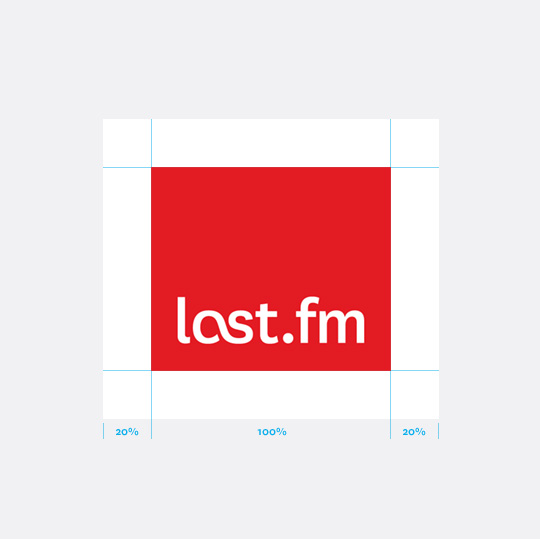
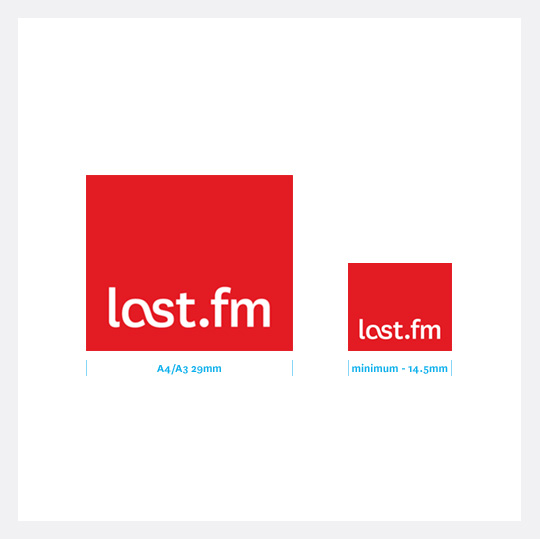
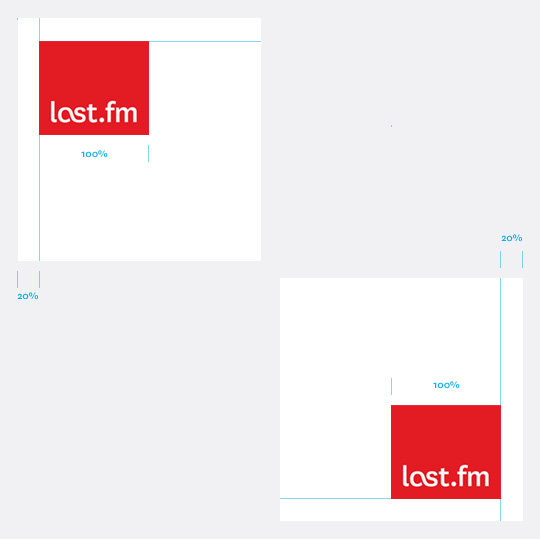
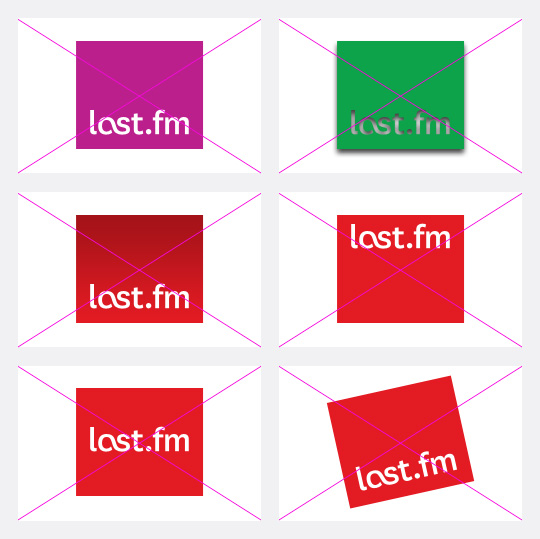
I’ve been updating the Last.fm brand guidelines site to include the new “refined logo”. The site is not open to the public, so here are a few logo usage illustrations from the site.

Last.fm logo exclusion area

Last.fm logo exclusion area

LFM_Ticket_sizeLast.fm logo sizes

LFM_Ticket_sizeLast.fm logo sizes

LFM_Ticket_sizeLast.fm logo placement

LFM_Ticket_sizeLast.fm logo placement

LFM_Ticket_sizeLast.fm logo - inproper usage

LFM_Ticket_sizeLast.fm logo – inproper usage


Why I ♥ Scrobbler for iOS

2013 April 2
by Graham

I worked on the design for the Scrobbler for iOS and I’m very proud of it. The technology powering the app is incredibly cool and this post is to explain why I love it, and why I hope you might give it a try…

1. “Sorry Dave, I don’t know that track”

sorry-dave

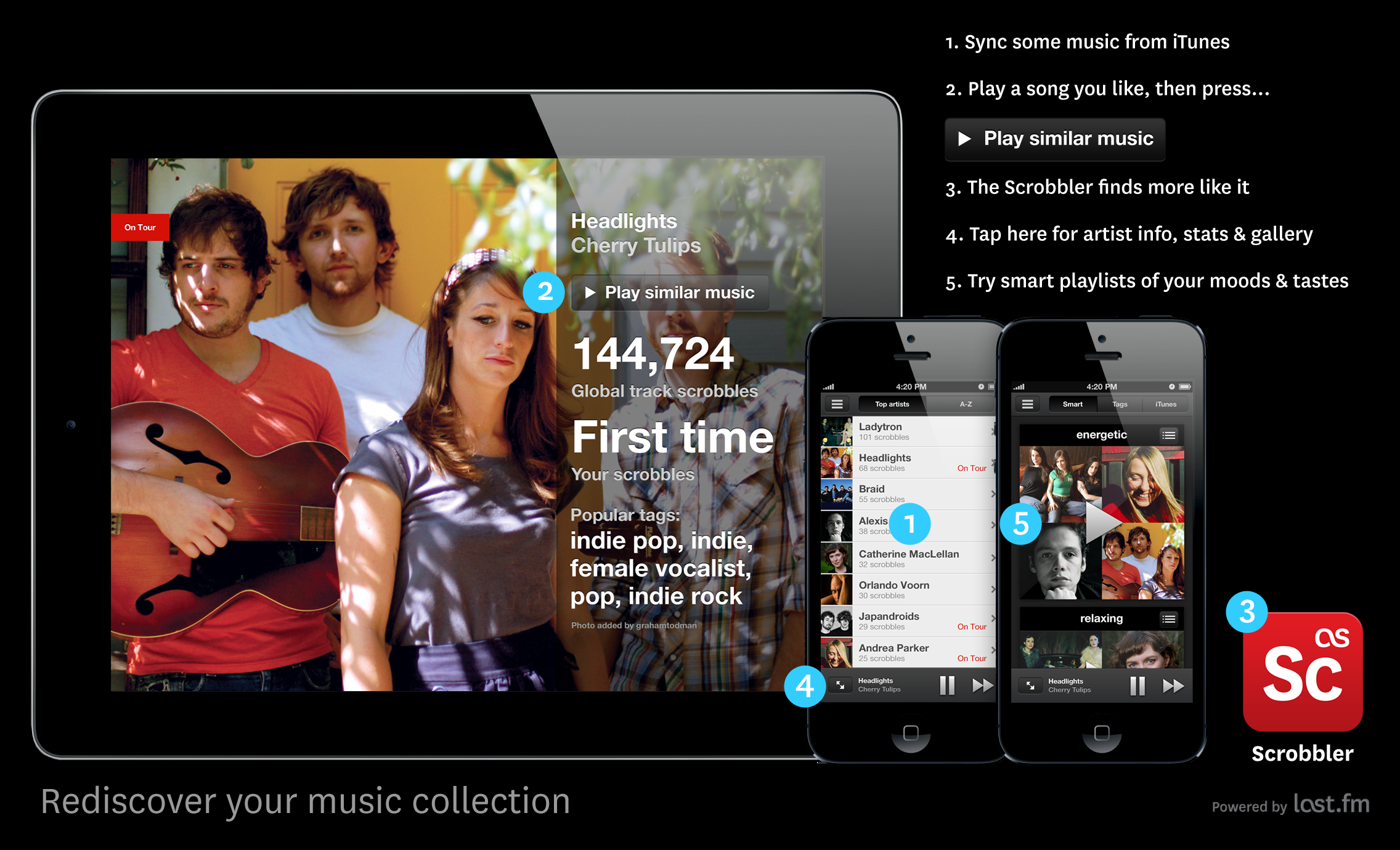
Knowing what track you want to listen to is easy, but what about the next track, and the one after that? iTunes Genius solved this problem by creating a playlist of similar tracks. The only thing is… it’s not always that smart. For over a decade now Last.fm users have been building the world’s largest music catalogue by sending the artist, album and track name of every song they’ve ever played to their profiles, this is called “scrobbling”. This data is then taken to dark room in the bowels of Last.fm where actual PHD geniuses have been teaching a machine to understand music. This machine goes by various names, I call it the Scrobot. It would take a very obscure song for the Scrobot not to find a similar match to play you.

Genius versus the Scrobbler

2. Making lists is boring

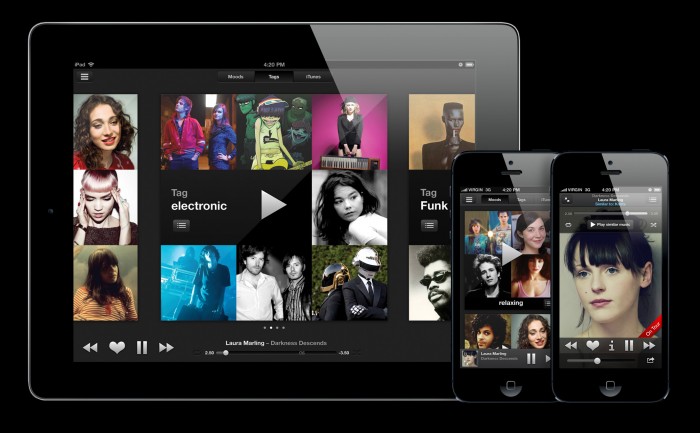
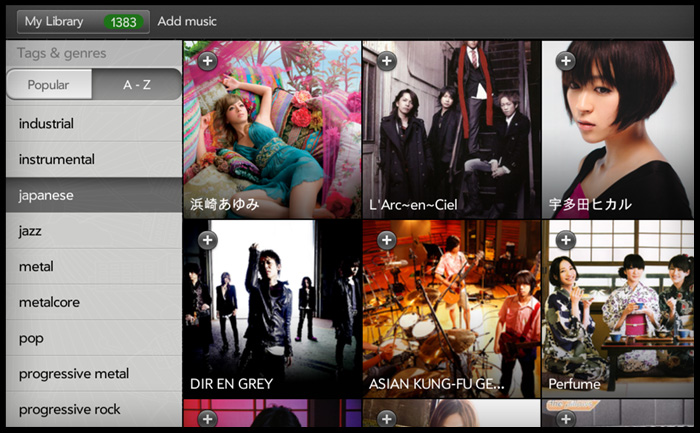
I hate making lists, and I’m too lazy to curate my music collection. Scrobbler for iOS does all the work for you by sorting your music into “smart” playlists based on mood and audio features, and “tag” playlists based on genre or theme. Ironically, I really enjoyed making this Spotify playlist called “Boring“.

Boring playlist

3. What do you feel like listeing to?

  • fast
  • slow
  • high energy
  • low energy
  • punchy dynamics
  • relaxing
  • atmospheric
  • smooth
  • sad
  • happy

I have a very varied taste in music, ranging from funk to metal, and indie to electronic. I find listening to one genre gets boring very quickly. When we’ve spoken to Last.fm listeners about how they choose music they would say things like: “depends what I’m in the mood for” or “what I feel like listening too”. They often tells us they make playlists based mood on activity such as: “relaxing’, “working” or “party”. How can an app choose music based on moods or activity? The answer lies in the dark art of “music information retrieval” and the study of “audio feature analysis’. You can tell a lot about the mood of a track by studying it’s rythm, tempo, energy, and dynamic range. The PHDs here at Last.fm have are on the theoretical edge of this study, and the Scrobbler for iOS uses cutting-edge audio analysis. We have added the emotive playlists “happy” and “sad” – although our Scobot doesn’t read the lyrics! So a track may sound happy, but have sad lyrics such as “Pumped Up Kicks by Foster the People.

4. What music are you into?

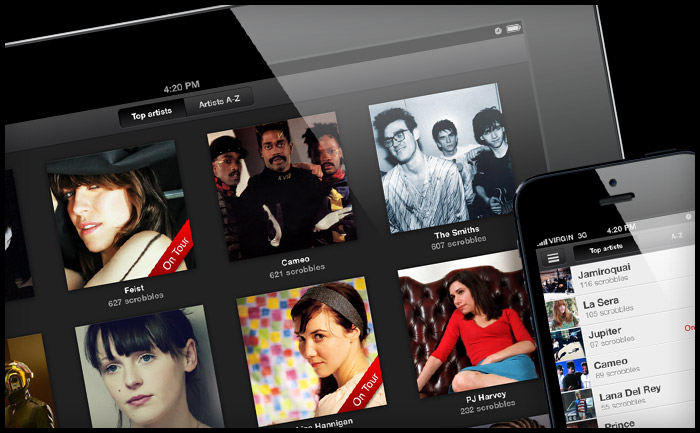
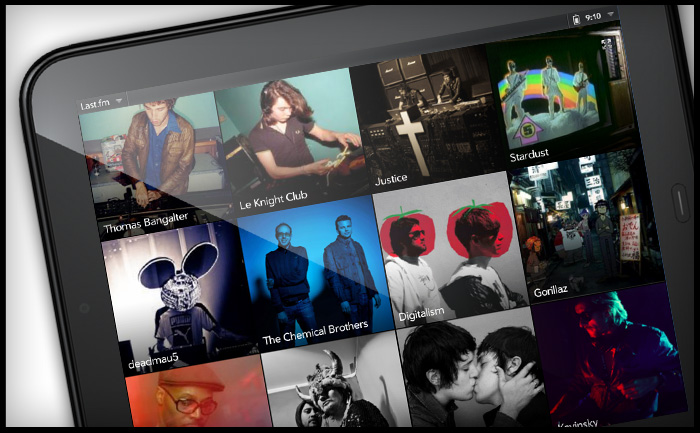
People I meet often ask me this question when they find out I work for a music service, and I always struggle for an answer – at least an answer that doesn’t make me sound out-of-date or just boring. Scrobbler for iOS visualises your music tatse using millions of artist pictures from Last.fm artist profiles. What does your taste look like?

playlist-small

5. Who is this track by?

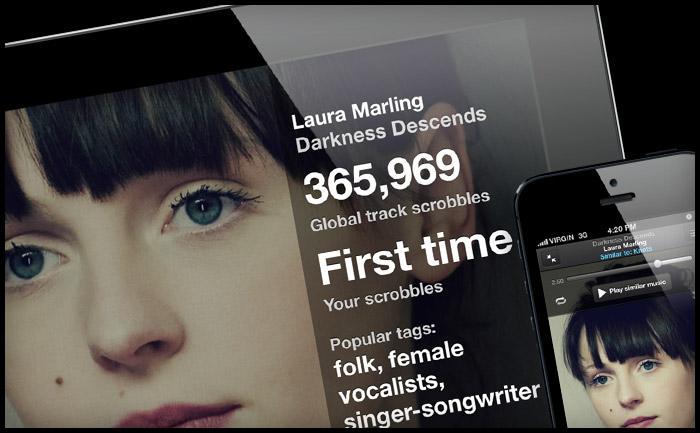
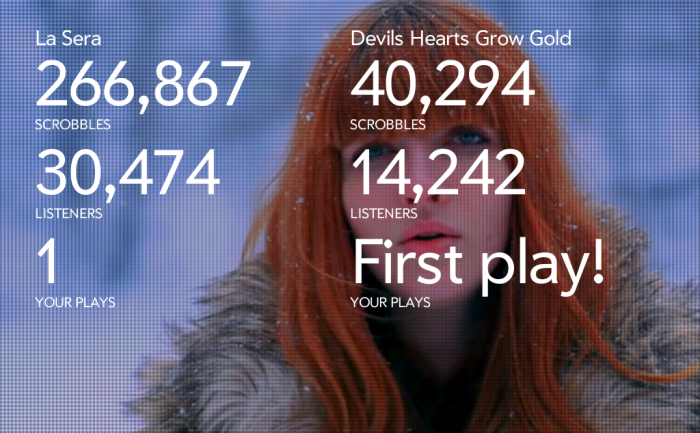
Ever been listening to a track you own but can’t recall who it’s buy? Scrobbler for iOS draws on the artist biography, listening stats and a gallery of images.

Artists info and gallery

If you have an iPad, iPhone or iPod Touch please give our little Scrobbler app a try by downloading it here.
Thanks ;)

New Lego logo to suit Americans

2013 April 1
by Graham

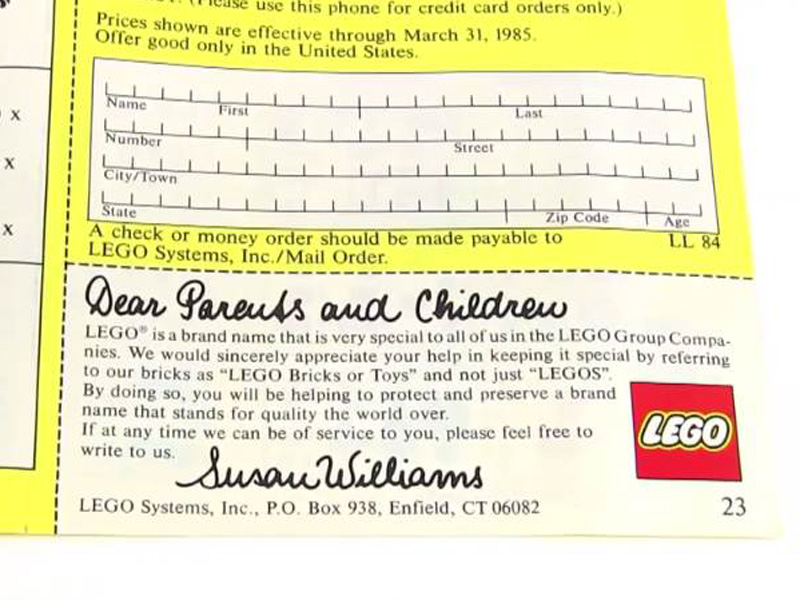
In response to consumer demand in the US, Lego have introduced a new “Legos®” logotype. Head of Global Communications, Dumme Mursten-Hjernen explained: “The plural for “Lego” has always been, simply: “Lego”, it’s an irregular plural like ‘sheep’ of ‘fish’. However, despite numerous advertising campaigns, we found the American toy buying public were not capable of retaining this simple fact in memory. Therefore we have taken steps to adapt our brand for the US consumer. In Europe we will continue to use “Lego” plural”.

Legos logo for Amercians

Grape app iPhone app UI design

2013 March 27
by Graham

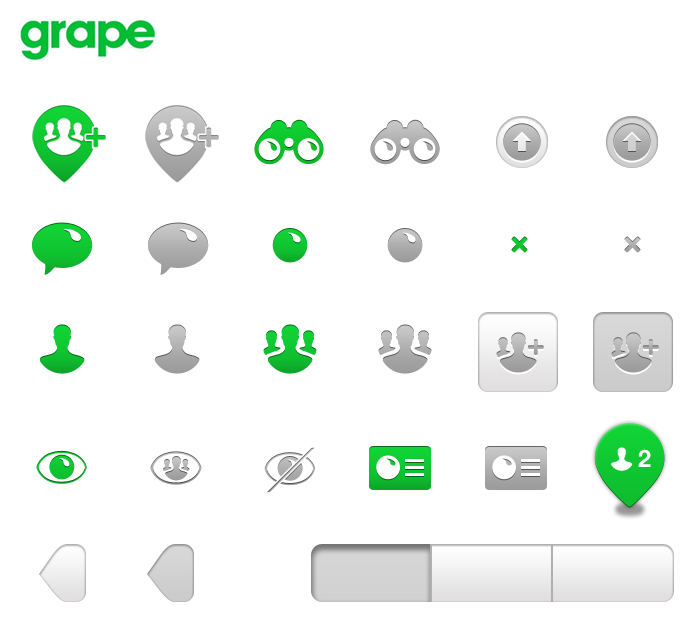
iPhone app iOS icon primer

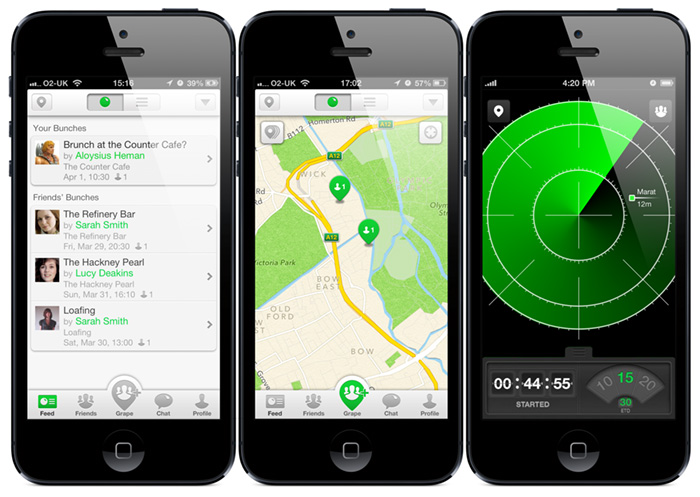
I’m pleased to see Grape has launched. Grape is a full-featured mobile messenger with functionality to coordinate get-togethers with friends. I worked on the UI design and styling  of the beta release.
Download the Grape app on iTunes

Grape iPhone app screens


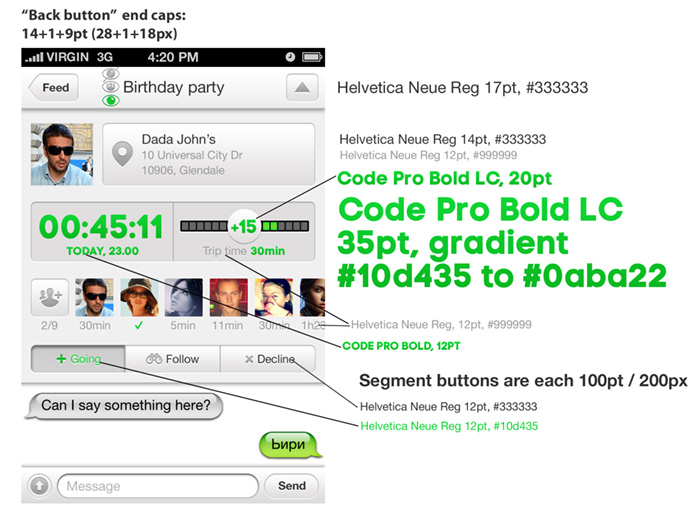
ypography and colour mark-up

An early UI style guide, including type and colour mark-up for the developers. This is the early beta design, the Grape team made a lot of refinements to the final app.

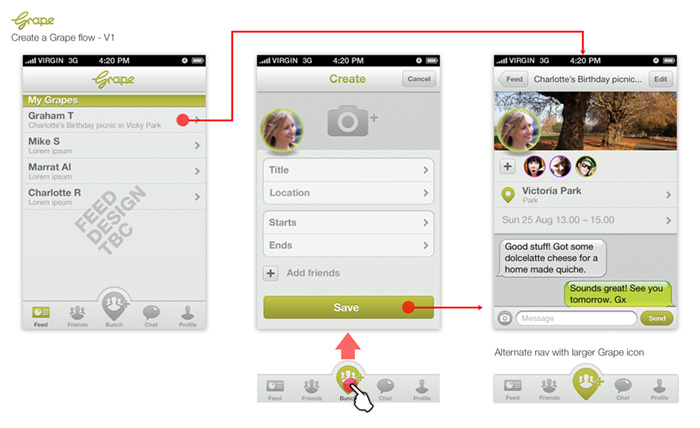
Initial design and user flow

This was the first iteration which ahows the tab nav was agreed quite early on. This version has an early logo and colour scheme, as these were still in development by logo designer Graham Smith. My initial design used a lot of native iOS UI, whereas the inventors of Grape wanted to offer direct “in situ” input of data, minimising the need for standard modal windows.


Last.fm logo refined

2013 February 28
by Graham
Last.fm logo

Last.fm official logo

Rebrands can be costly and re-drawing a logo can take weeks of refinement, but not this one. I was simply asked to “stop the logo being all wonky” (see below).

Last.fm red

Last.fm official red - Pantone 1797

Pantone: 1797 U
CMYK: 0 / 100 / 99 / 4
Web: #e31b23
RGB: 227 / 27 / 35 

The old Last.fm logo

I quite liked the “ticket” logo as it was, but had to admit it was an awkward fit in layouts as it wouldn’t align to anything. Also the fancy gradient and shadow effects meant we needed to offer multiple file types to support different uses (CMYK and 1 colour printing, and RGB). I also increased the height of the red box to make it closer to a square, as I felt the logo looked too oblong when it was rotated back from it’s 12.5 degree angle.

logo_web

Old Last.fm logo

Brand guidelines

A quick image search in Google for “Last.fm logo” illustrates the problem when you don’t have easy to access brand guidelines and sample logo files. Last.fm is an open-source service with a large community of developers creating their own apps using APIs, each app needs a logo and, without guidance, you get a lot of interpretation.

Screen shot 2013-02-28 at 17.53.07

How to start designing Android apps in Photoshop

2013 February 20
by Graham

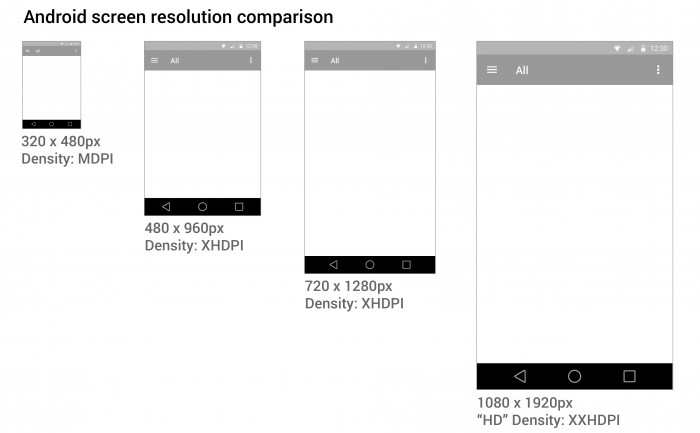
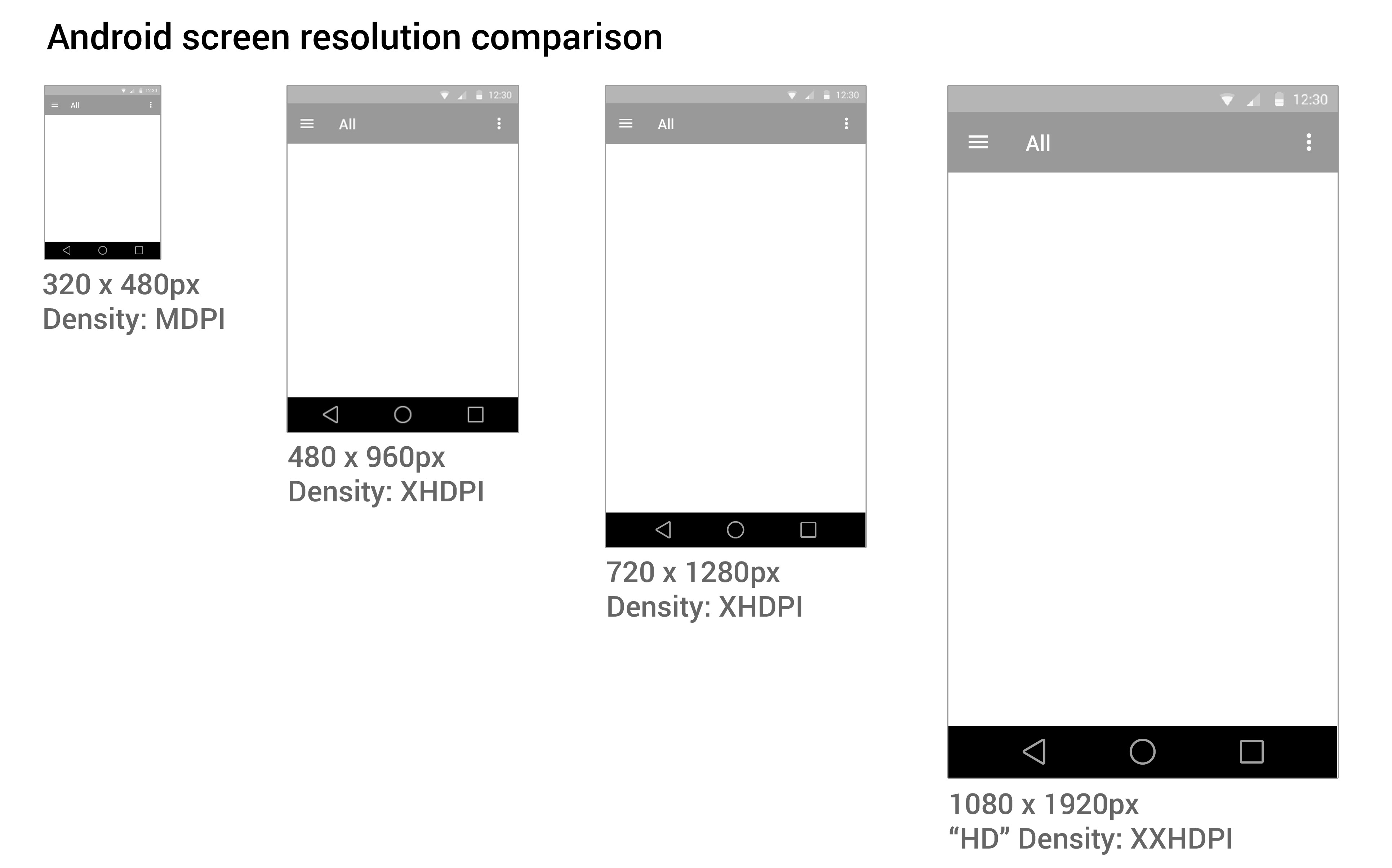
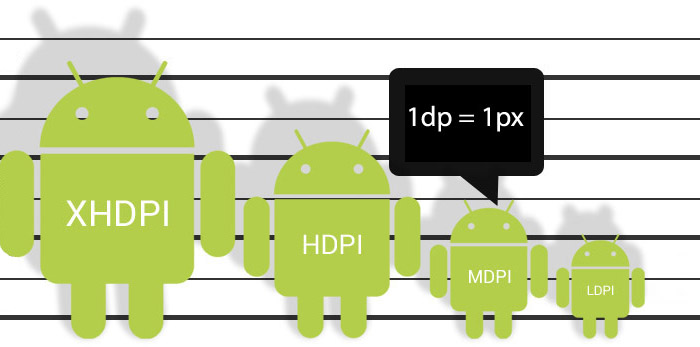
Google Android Screen and Icon size illustration

Designing apps and creating graphic assets that adapt to the bewildering range of devices, sizes, and resolutions can be bewildering. Google tries to help by providing extensive Android user Interface Design Guidelines. However, the screens designers use are typically 72 dpi (written as “Retina MacBooks were launched), whereas mobile screens tend to have a higher density. Therefore Google has come up with the made-up “density pixel” unit of measurement, which makes knowing where to start a design in Photoshop pretty confusing.

Here is how I tackled designing an Android app.

Here’s a clue:
72 dp in MDPI is actually  72 dpi in Photoshop!

1. Start with mobile first

I recommend starting with an average mobile handset size screen first (320 x 480) at the MDPI resolution (see below). Starting with the smallest and most limited screen size first, you can make sure your interface and content will fit, removing any features that aren’t completely necessary to the core purpose of the app. Then you can work out how your app will behave on larger and tablet sized screens. You need to decided if your app is going to stretch to fit larger screens, or if you’re going to have a completely different layout and design for tablet sized screens.

2. Photoshop image size

I choose to start with a small mobile handset and a small 7″ tablet screen as a base for design.  You may need to create portrait and landscape versions if you plan on allowing users to change orientation. That means your navigation needs to fit on a bar that is 600px on a 7″ tablet held in a portrait orientation.

Android-phtoshop-screen-guide-SM

Normal handset screen: 320px x 480px – 72dpi
Small tablet screen:
 600px x 1024px – 72dpi*

Common Android devices by width of screen size

Common Android devices by width of screen size

3. Download Android design templates

Android provide these handy UI design templates and icons sets at different DP sizes. Although they don’t provide a screen size for you to work on. You’ll see in the design stencil that the navigation bars they provide are set to either 360px, 600px, and 1280px wide. To fit my recommended 1024px canvas, you stretch the nav bars horizontally to fit, keeping the height as it is.

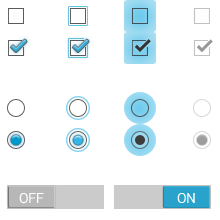
It is very important to keep the icons at the same size and proportion to maintain the correct “hit” area for the user’s finger.
downloads_stencils
Download Android UI design templates and icons

4. Scale your assets

You can make your life really easy by using the native icons and graphic assets provided, but if you need a custom icon you ill need to provide an asset in the x4 densities of resolution. It is always advisable to create icon art as vectors in “Smart Objects, or as “shapes” in Photoshop so they can be scaled up or down without loosing quality.
As I recommend designing in medium (MDPI) resolution, which is 72dpi  in Photoshop, scaling your icons to “extra high”, “high” and “low” is relatively simple.

MDPI - 100% – START HERE!
XHDPI
 -  scale up 200%
HDPI -  scale up 150%
LDPI - scale down 75%

When using vectors, you may want to adjust your line art to tighten up any half pixels or it can look blurry at the edges (if you’re a perfectionist like me).


What the frakk is a DP?

Here’s what I discovered after a few hours of scratching my head and moaning…

  1. All Android icons are 32dp x 32dp
  2. Android supply sample icons and if you open an icon from the MDPI folder in Photoshop, the icon is 32px x 32px with “image size” set to 72 pixel/inch.
  3. Android guidelines recommends starting a design at MDPI, then scaling up or down. They supply their Photoshop stencils in MDPI.
  4. SO, in Photoshop 1dp = 1px @ MDPI.
So why don’t they just tell us that?

Well it turns out that in the “real” world, devices have smaller pixels than standard computer screen pixels. A standard computer screen is 72dpi, whereas the smaller handsets actually have 160dpi screens. Confusing eh! So MDPI is 72dpi on a computer, but 160dpi on a handset – so Google were forced to come up with as “relative” measurement: “dp”.

If you have a better way of getting started designing in Android, or if I’ve made an errors, please let me know.

Responsive web design – sarahburgessyoga.com

2013 February 11
by Graham

I’ve had my first play with responsive web design and CSS, which was great fun.

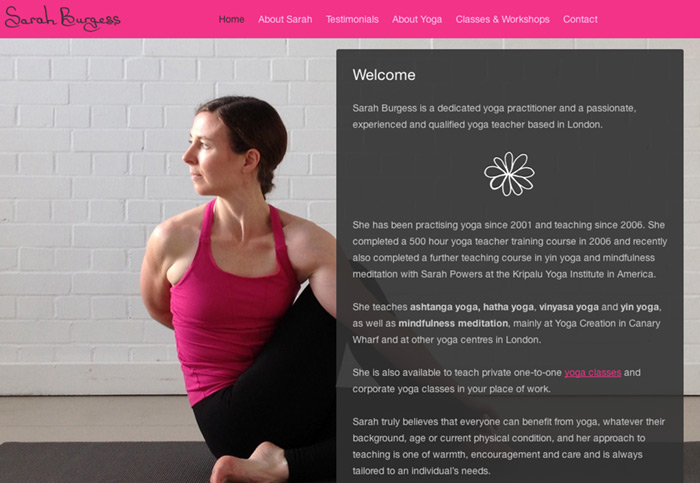
Sarah Burgess Yoga website design

This new site for yoga teacher Sarah Burgess is to provide information and class schedules for her yoga practice. It was designed to be friendly, informal, and uses “in-situ” photography of Sarah doing yoga as a main focal point.

Responsive WordPress theme customisation

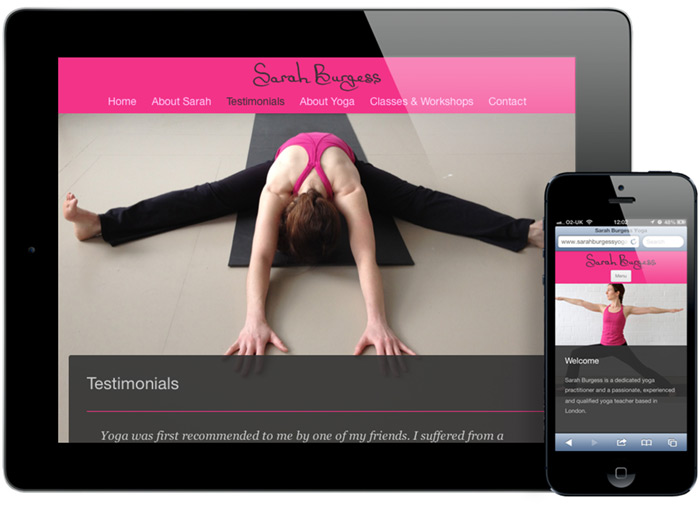
I designed the site and customised a theme in WordPress which was used as framework for the content and to make updates easy. I used the theme “Twenty twelve” as a base. It’s a responsive theme created by WordPress’ in-house team and is a great foundation for exploring media queries and getting into designing layouts optimised for mobile, tablet and large screens. It is interesting in that it loads the CSS in the functions.php, rather than in the header.

Sarah Burgess Yoga responsive web design for mobile and tablet

For the full screen background slideshow I used the excellent MaxImage by Aaron Vanderzwan. I found this to be the most reliable and platform agnostic. This meant that I had to add the slideshow code directly to the .php files rather than using a WordPress plugin, which I found either didn’t work very well or slowed the site down too much.

Design & logo

If a brand is about a person or an individual’s service, it appeals to me to use something personal about them in the design. In this case, Sarah had chosen to wear her favourite colour in the photography, so it was an easy choice to sample that for the colour scheme of the site. For the logo, I know that Sarah has quite unique handwriting, so rather than selecting an impersonal font, I asked her to write her name a few times, then scanned it in and cleaned it up a bit.


Last.fm homepage concepts sketches

2013 January 8
by Graham

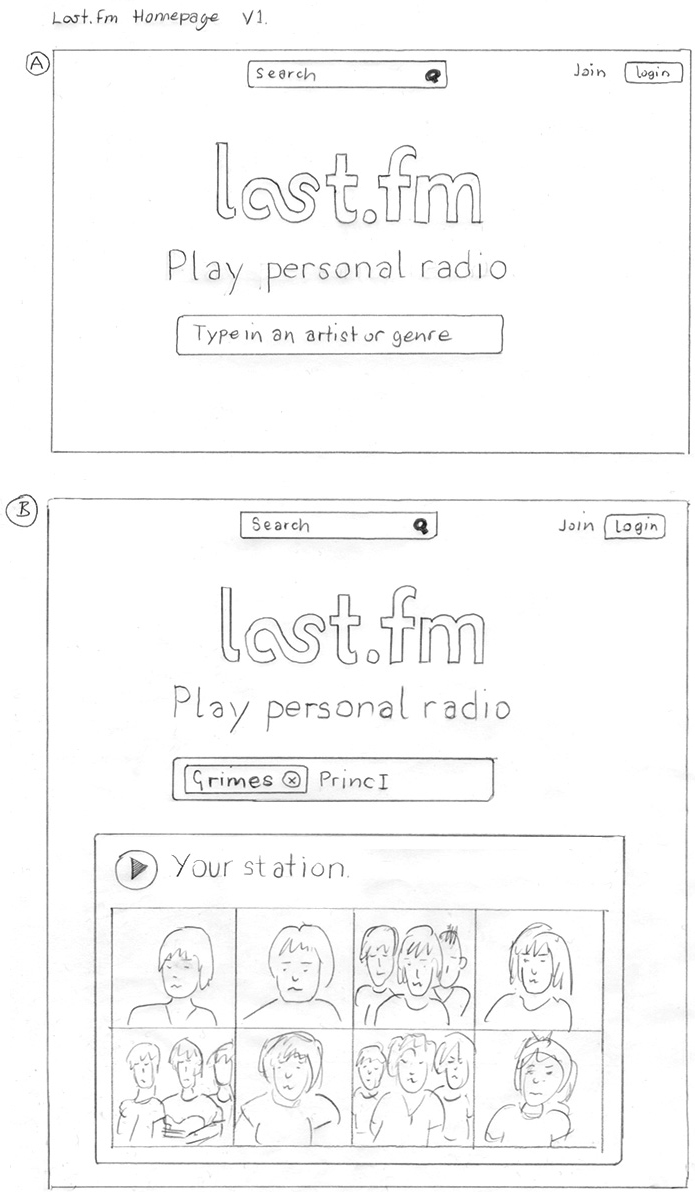
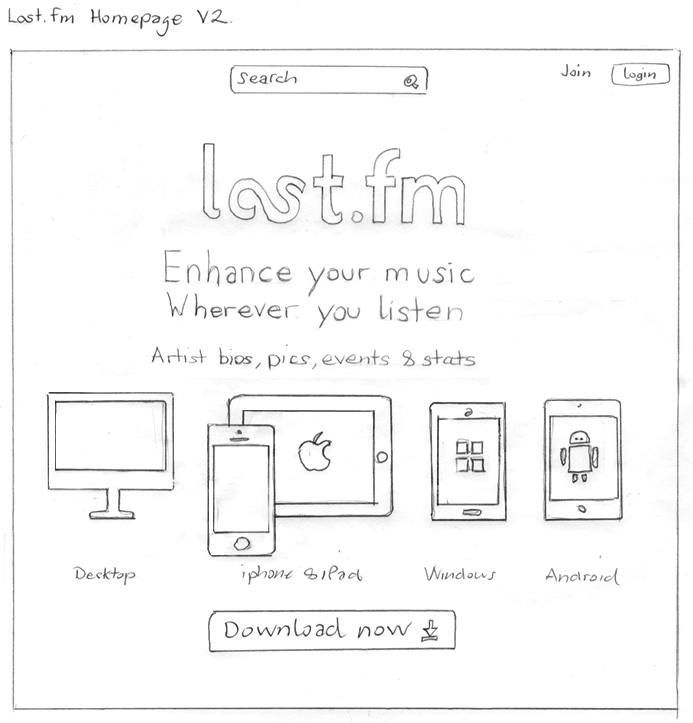
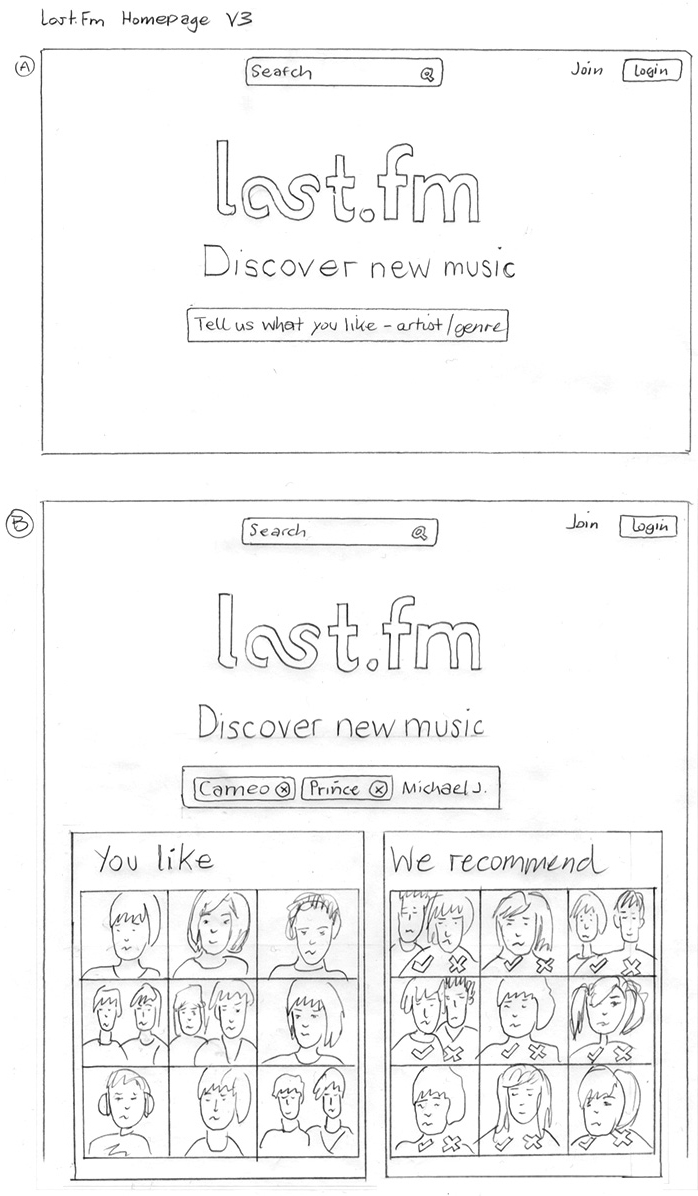
Sketches for the “logged out” homepage of Last.fm. The purpose of the page is: to introduce the service, encourgae signup, and offer a taster of the content. In these initial sketches I was exploring the idea of focusing the page on the different use cases: listening to radio, scrobbling listening history, and music recommendations.

Last.fm homepage concept sketch

Last.fm homepage concept sketches

Twitter comments for Scrobbler for iOS

2012 December 20
by Graham

Some very nice comments on twitter from people using the new Scrobbler iOS app.

Scrobbler tablet & mobile music app design

2012 December 10
by Graham

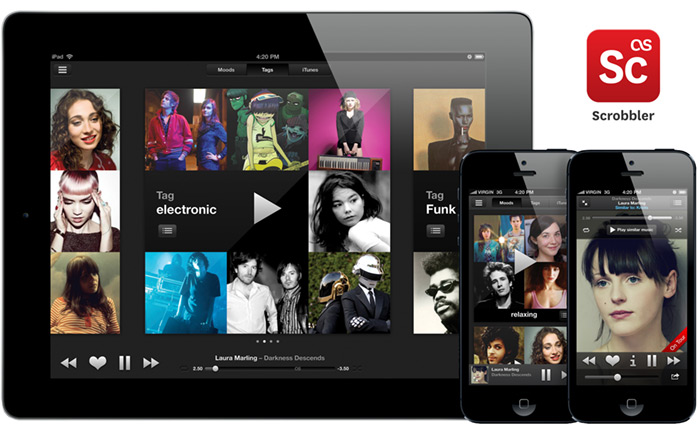
Last.fm tablet & mobile iOS iPad & iPhone app – Scrobbler

Available on the app store

Features

  • Enhance your music collection on iPad & iPhone
  • Smart playlists created for your mood and favourite genres
  • Artist galleries and listening stats
  • Scrobble* music to your Last.fm profile
  • See who’s on tour

Last.fm Scrobbler iPad and iPhone app - artists view

Last.fm Scrobbler ap for iPad and iPhone - now playing view

Last.fm Scrobbler iPad and iPhone app - smart playlisting

*scrobble: skrob·bul (ˈskrɒbəll) [verb]
To automatically add the tracks you play to your Last.fm profile with a piece of software called a Scrobbler
If I’m not scrobbling the music I hear, it doesn’t count!

Last.fm 10 years of scrobbling infographic

2012 December 7
by Graham

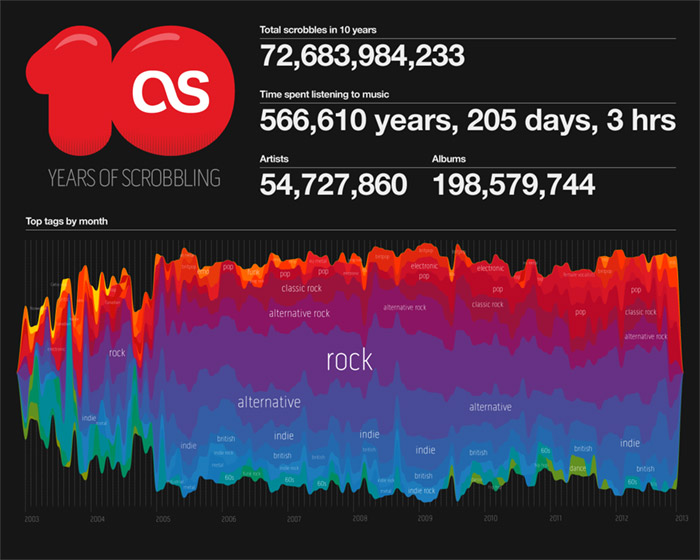
To mark the 10th anniversary of scrobbling, my colleague @stefansperber and I created this infographic showing how the top music genres have changed over the last 10 years. Stefan ran the data queries and produced vectors for the stream graph, I did the final infographic.
Last.fm infographic Christmas card

2012 December 7
by Graham

Last.fm infographic Christmas card

My dear colleague @dawhiting had the idea of looking at the scrobble graphs for the top 10 Christmas songs leading up to the 24th Dec. Over the last few years there has been a consistent spike. I did a bit of “pretty” work and now we have this year’s Christmas card design.
Last.fm 10 years of scrobbling logo

2012 November 16
by Graham

Last.fm 10 years of scrobbles logo


The Audioscrobbler software is 10 years old and Last.fm is celebrating this revolutionary innovation.
The logo takes elements from exisiting branding assets.

Sketch

10 years of scrobbles logo sketch

scrobble: skrob·bul (ˈskrɒbəll) [verb]
To automatically add the tracks you play to your Last.fm profile with a piece of software called a Scrobbler
If I’m not scrobbling the music I hear, it doesn’t count!

Scrobbler tablet & mobile music app design – icon family V1

2012 November 15
by Graham

Following the iOS design principle of “do one thing really well” we decided to spilt the Last.fm service into three distinct apps which serve clearly different use: radio streaming, exploring and scrobbling your music collection, and finding events to see. This meant coming up with a family of icons that were different enough to be distinct, yet belonged together and clearly reflected the brand.

The solution was inspired in part by the style of exisiting brand illustrations, but simplified and using geometric shapes. Each icon has a loose concept:

Radio: (Obvious!) is personal radio, so radiating waves… no brainer.
Scrobbler: The Scrobbler enhances your local music collection with Last.fm UGC tagging data and creates automated personal playlists. The icon shows inverted triangles, representing  focusing lots of music down to the point of the tracks you really want to listen to.
Events: The icon shows a horizon with points radiating out, representing the points of a globe where you can see your music live.

Scrobbler tablet & mobile music app design – wireflows

2012 November 15
by Graham
Wireflows for iPad local playlisting music app

Launch flow and "music moods" playlisting using machine music analysis tags


Wireflows for iPad local playlisting music app

Exploring local music collection with listening data sorting and meta.


Wireflows for iPad local playlisting music app

Profile screen and music listening stats views

Wireflows for the local music library stats and playlists app I’m working on.

Attention to detail – tablet & mobile app design

2012 November 12
by Graham

Obsessive, fussy… Me?

When designing an appdesigners take great care over the UI and the fine details. Apple provide a lot of built-in UI styling in the SDK for developers to produce apps of a consistent quality. However, when Apple create their own apps they add an extra layer of detail and finish that is not supplied in the SDK, this extra quality is hard to achieve out-of-the-box.

Designers are fussy by trade, and communicating this obsessive level of detail via email or Skype to a remote developer can be challenging. I have great sympathies for developers, espcially when I find myslf sending them the following documents with design revisions… ;)


iOS app design revisions

iOS app design revisions


Kevin was as keen as me to get this right, so I hope doesn’t he hate me too much ;)

Smart playlisting music app – demo

2012 October 8
by Graham

I’ve been working with our MIR team (Music Information Retrieval) on the new instant playlisting engine, designed to provide instant playlists from collections of any size.

The guys have created a playlisting demo which you can try out against your Last.fm profile. Please ty it out give us your feedback. You can also read Mark Levy’s background to the technology on the Last.fm blog.

My part in this has been to think about the user experience and ensure that the catagories we choose to create fit with the natural expectation and behaviors that people use when making their own playlists. This engine will form part of a new iOS product I’m designing for Last.fm.

Last.fm Festivals iOS app – wins W3 Silver Award

2012 September 27
by Graham

2012 W3 Awards Silver Winner
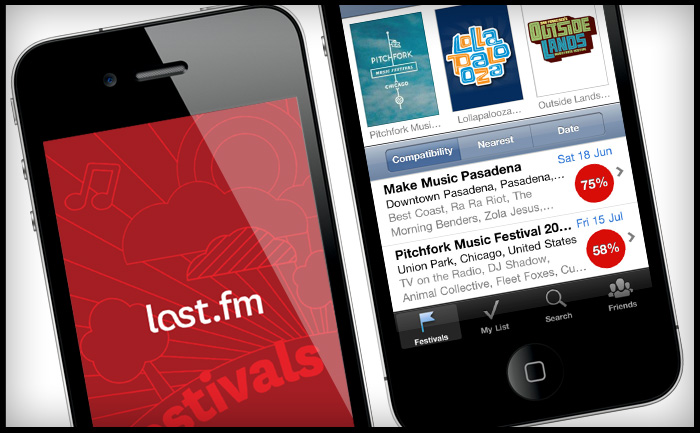
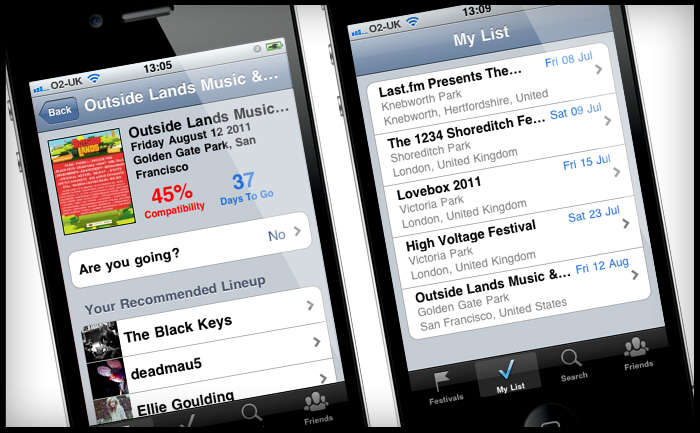
Last.fm Festivals app won a 2012 W3 Silver Award for the Music & Audio Mobile App category and a 2012 Mobile WebAward from the Web Marketing Association. You can download the app on iTunes here.

Last.fm Festivals iOS iPhone app

Last.fm Festivals iOS iPhone app

Prototype music track list UI

2012 September 11
by Graham

Last.fm track list player UI design

New playable track list UI style for artists and catalogue pages.

Objectives:

  • Make a distinction betwen full playable tracks and 30 second previews
  • Create a player module to play all tracks avaible
  • An expandable ajax panel to get track info, stats and content in position to increase engagement.
  • Add improved e-commerce features, including the ability to buy a list of tracks in one.

RIP Neil Armstrong

2012 August 25
by Graham

20120825-214147.jpg

Scrobbler tablet & mobile music app design – sketches

2012 August 14
by Graham

Here are some sketches on an iOS app I’m currently working on, laying out possible ways to interact with your local music collection using listening data.

Last.fm iPad music app - playlisting sketch

Last.fm iPad music app - your artists sketch

Last.fm iPad music app - artist detail sketch

Last.fm iPad music app - play mode sketch

Last.fm iPad music app - profile sketch

Last.fm Scrobbler iPhone iOS sketches

Last.fm Scrobbler music app for iPhone sketch

iPad app sketches - first iteration

This first sketch was a quick pass of how to lay the app out using floating frames, before I moved onto simpler and more interesting interactions.

I like to sketch here…
20120723-124538.jpg

or even better, here…

20120718-212818.jpg


MOODmongr – music mood analysis & machine tagging

2012 August 14
by Graham

Last.fm MOODmngr mood music chart

Continued from my previous post, my data team colleague Mark Levy has adjusted the mood chart to only show the percentage of moods in total music listening per week, removing the scaling that showed how much music a user was listening too. This makes it easier to see the variance in mood.

Here is my Moodmongr report or you can give the Mood report a try yourself.

Last.fm Chrome plugin design

2012 July 23
by Graham

Last.fm Chrome plugin design
Helping out @marekventur style up his Last.fm plug in for Chrome. It’s a 10% project (* staffers are given 10% of their time to work on self-driven projects, providing the work is related to music data (I have been told off for spending too much time working on a diorama of Jabba’s palace for my Star Wars figures)